See who is home using your WiFi
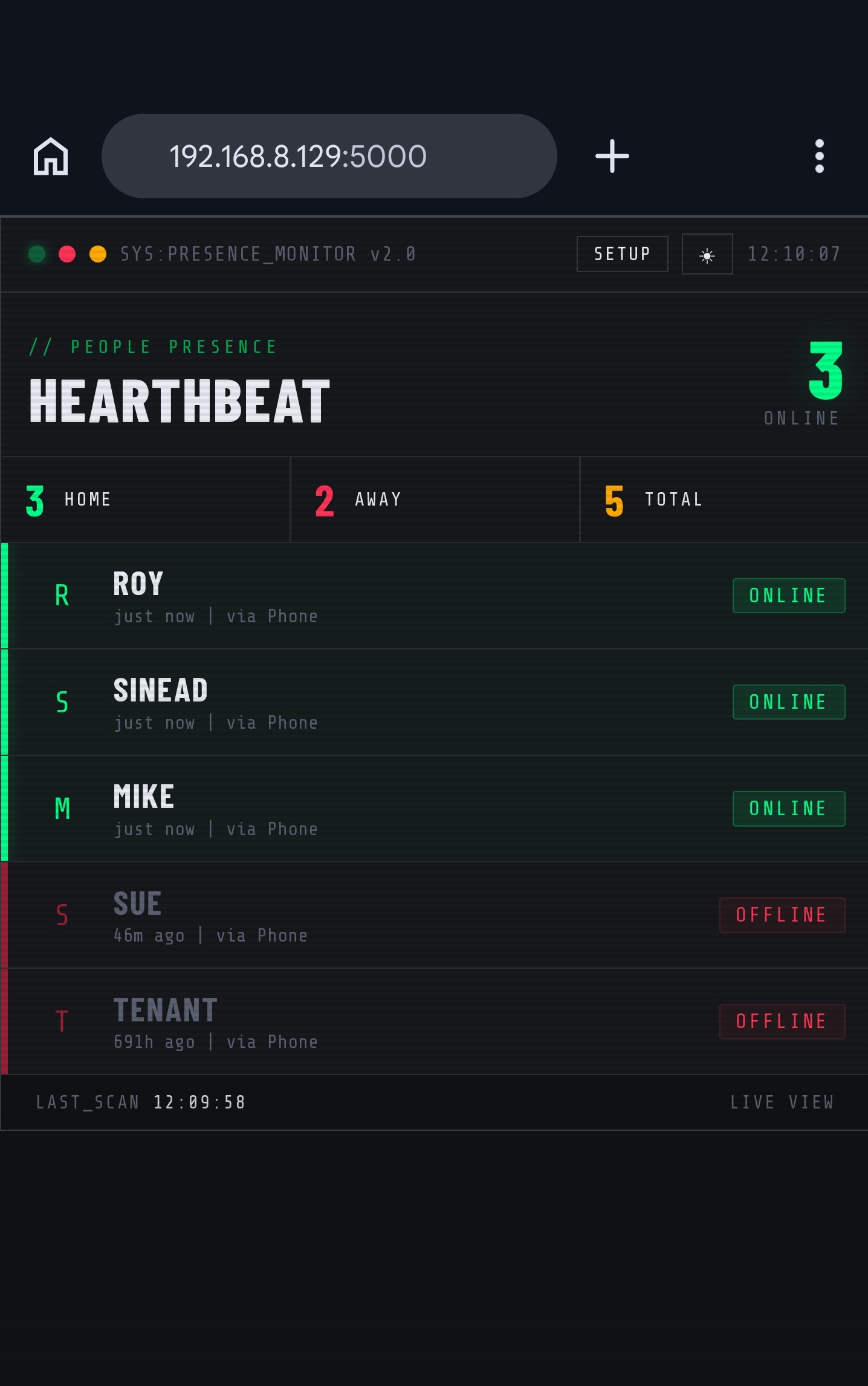
Hearthbeat is a ready-to-flash Raspberry Pi image that scans your local network and shows which people are home based on their assigned devices.
Runs locally. No cloud account. No subscription. Requires a Raspberry Pi, microSD card, and basic WiFi setup before first boot.
How it works
Flash
Write the Hearthbeat image to a microSD card using Raspberry Pi Imager.
Connect
Add your WiFi details to the boot partition, insert the card, and power on the Pi.
Assign
Open the dashboard, assign detected devices to people, and monitor who is home.
Features
Local only
- No cloud dependency
- No account required
- Runs on your home network
Simple UI
- Main presence view
- Setup page for assigning devices
- Multiple colour themes
Device based
- ARP-based detection
- Assign multiple devices per person
- Presence updates automatically
Requirements
Compatible hardware
- Raspberry Pi Zero 2W
- Raspberry Pi 3B+
- Raspberry Pi 4
- 16GB+ microSD card
You need
- Home WiFi name and password
- Phone or computer on same network
- Correct power supply for your Pi model
- Basic comfort flashing an SD card
Setup summary
Download
Get the Hearthbeat image file and setup guide.
Flash
Use Raspberry Pi Imager, choose “Use custom”, and select the image.
Boot
Add WiFi config to bootfs, boot the Pi, then open http://hearthbeat.local:5000.
Hearthbeat v1.0 is for people who want a small, local, self-hosted presence dashboard without setting up Home Assistant or writing scripts.
Buy on Gumroad